
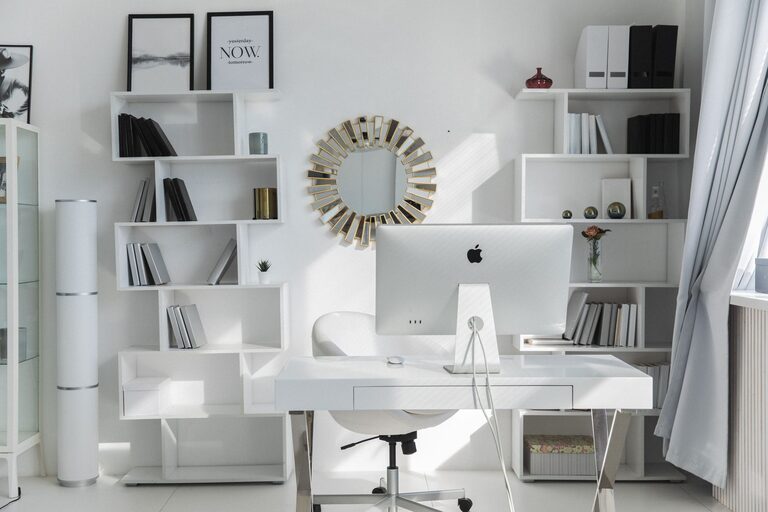
Creating a clutter-free home office is essential for staying focused and productive during your workday. A neat workspace reduces stress and helps you manage tasks more efficiently. Whether you work full-time from home, run a side business, or just need a dedicated spot for bills and paperwork, organizing your home office can make a big difference. Here are practical tips to help you design and maintain a clutter-free home office space.
Start with a Clean Slate
Before you add storage or reorganize, clear everything off your desk and shelves. Removing all items gives you a fresh perspective on the space you have and what you really need. Wipe down surfaces and clean the room to create a welcoming environment. A fresh start makes the organizing process easier and more effective.
Declutter Regularly
Clutter accumulates over time, so set a routine to declutter your home office space. Consider these habits:
– Daily tidy-up: Spend five to ten minutes at the end of each workday clearing papers and putting things back in their place.
– Weekly review: Go through your paperwork, supplies, and digital files to identify what can be discarded or archived.
– Monthly deep clean: Evaluate your entire workspace to reorganize storage, dust thoroughly, and make further improvements.
Regular decluttering prevents piles of paperwork and unused items from taking over your space.
Maximize Vertical Space
Most home offices have limited surface area. Using vertical space can help you keep essentials within reach while freeing up your desk. Consider:
– Wall-mounted shelves for books, binders, or decorative boxes.
– Pegboards for hanging tools, cables, or small office supplies.
– Floating shelves for frequently used items that don’t fit in drawers.
Using walls effectively helps you avoid tabletop clutter and adds storage without crowding your work area.
Choose Functional Storage
Smart storage solutions keep everything organized and easy to find. When selecting organizers, consider your workflow and the types of items you use daily. Some ideas include:
– Drawer dividers to separate pens, clips, and other small items.
– File holders or vertical trays for sorting documents by priority or project.
– Clear containers or labeled bins to store electronics, chargers, or craft supplies.
– A dedicated spot for your printer and related accessories to keep cords tidy.
Labeling your storage containers can save time and reduce frustration by making it simple to locate what you need quickly.
Create Zones for Different Tasks
Dividing your office into zones helps organize physical space and your mental focus. For example:
– Work zone: Your desk, computer, and main tools you use daily.
– Reference zone: Books, manuals, and frequently referenced materials.
– Supply zone: Paper, pens, envelopes, and other consumables.
– In/out zone: A place for incoming mail, bills, and completed documents ready for the next step.
By assigning specific areas for each type of task or item, you reduce clutter build-up and maintain efficient workflows.
Use Cable Management Solutions
Cables and cords are a common source of tangled messes in home offices. To keep your cords neat and safe:
– Use cable clips or ties to bundle cords together.
– Route cables along the back of your desk or walls to keep them out of sight.
– Consider wireless devices to reduce the number of cords.
– Label chargers and cables to identify which device they belong to.
Neat cables not only look better but also make cleaning easier and reduce trip hazards.
Incorporate Personal Touches Wisely
While personal items like photos, plants, or meaningful objects make your office pleasant, too many can add to clutter. Select a few favorites that inspire you and keep them contained within designated spaces. For example, a small plant on a shelf or a photo frame on your desk can personalize your area without overwhelming it.
Maintain Digital Organization
Reducing physical clutter goes hand-in-hand with managing digital files. Organize your computer desktop and folders regularly to keep digital chaos at bay:
– Use descriptive folder names and organize files by project or date.
– Delete unnecessary files and emails.
– Back up important data to cloud storage or an external drive.
– Use productivity apps to keep track of tasks, notes, and deadlines.
A clean digital space supports productivity and reduces frustration.
Prioritize Comfort and Ergonomics
An organized office is not just about neatness—it should also be comfortable to use. Invest in:
– An adjustable chair that supports good posture.
– Proper lighting to reduce eye strain.
– A desk setup that keeps your computer screen at eye level.
Comfort reduces distractions and helps you focus better throughout the day.
Final Thoughts
Organizing a clutter-free home office is a process that involves thoughtful planning and ongoing maintenance. Starting with a clean and clear space, using smart storage solutions, and maintaining good habits will set you up for success. Remember that a tidy office reflects a clear mind, helping you accomplish more with less stress.
Take small steps regularly and enjoy your organized, peaceful home office!