
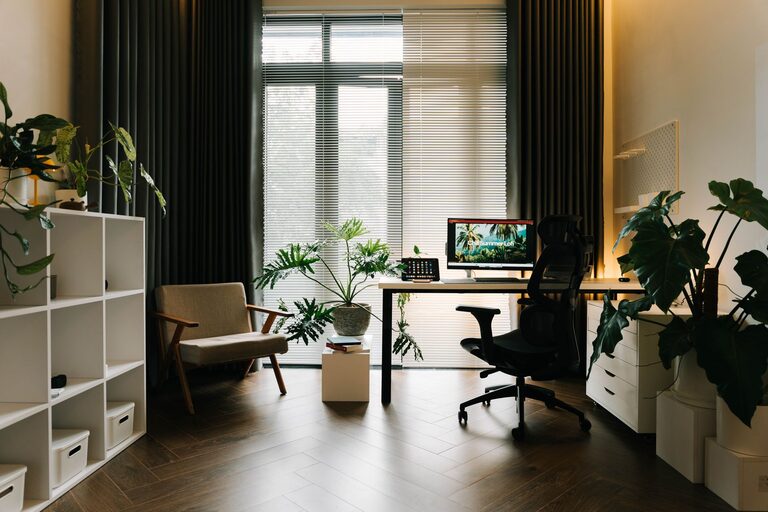
Creating a cozy and productive home office space is essential for anyone working remotely or managing tasks from home. The right environment can improve focus, reduce stress, and make your workday more enjoyable. Whether you have a dedicated room or just a nook to work in, the following tips will help you transform your space into an inviting and efficient office.
1. Choose the Right Location
Selecting where to set up your home office is the first step toward comfort and productivity.
– Natural Light: Place your desk near a window if possible. Natural light boosts mood and energy, making it easier to stay alert.
– Minimize Distractions: Choose a quiet part of your home, away from heavy foot traffic or noisy appliances.
– Space Considerations: Ensure you have enough room for your desk, chair, and any necessary equipment without feeling cramped.
2. Invest in Ergonomic Furniture
Comfort is key to staying productive during long work hours.
– Chair: Select an ergonomic chair that supports your lower back and encourages good posture.
– Desk Height: Your desk should allow your arms to rest comfortably at a 90-degree angle when typing.
– Standing Options: Consider a sit-stand desk if you want to vary your posture throughout the day.
3. Organize Your Workspace
A tidy space encourages a clear mind and helps maintain focus.
– Declutter Regularly: Remove unnecessary items to keep surfaces clean.
– Storage Solutions: Use shelves, drawers, or filing cabinets to store documents and supplies.
– Cable Management: Keep cords organized with clips or cable boxes to avoid tangles and clutter.
4. Personalize Your Environment
Adding personal touches can make your workspace feel inviting without distracting from work.
– Plants: Small indoor plants improve air quality and add a refreshing touch.
– Artwork: Hang inspiring images or motivational quotes that resonate with you.
– Colors: Use calming colors like soft blues or greens to create a serene atmosphere.
5. Optimize Lighting
Proper lighting reduces eye strain and keeps you alert.
– Layered Lighting: Combine ambient lighting with task lights direct to your work area.
– Adjustable Desk Lamps: Choose lamps that allow you to control brightness and angle.
– Avoid Glare: Position screens and lights to prevent reflections and harsh shadows.
6. Use Technology Wisely
Having the right technology can streamline your work and reduce frustration.
– Reliable Internet: Ensure your connection is stable, especially for video calls.
– Necessary Devices: Include a good monitor, keyboard, and mouse that suit your needs.
– Noise-Canceling Headphones: Useful to block distractions when necessary.
7. Create a Routine with Boundaries
Your home office should support a work-life balance.
– Set Work Hours: Stick to consistent start and end times.
– Separate Work and Relaxation: When possible, keep your workspace distinct to mentally switch off after hours.
– Breaks Matter: Schedule regular breaks to stretch and rest your eyes.
8. Keep Comfort Items Nearby
Having a few comfort items can make long workdays easier.
– Water Bottle: Stay hydrated without frequent trips to the kitchen.
– Blanket or Cushion: Add extra comfort for chilly days or long sitting periods.
– Stress Relievers: Stress balls or fidget tools can help maintain focus.
Final Thoughts
Designing a home office that balances coziness and productivity is achievable with thoughtful planning. Small adjustments can make a big difference in creating a space that supports your work and well-being. Focus on comfort, organization, and personalization to make your home office a place where you want to spend your time.
By following these tips, you can build an environment that inspires you to work efficiently while feeling relaxed and content.