
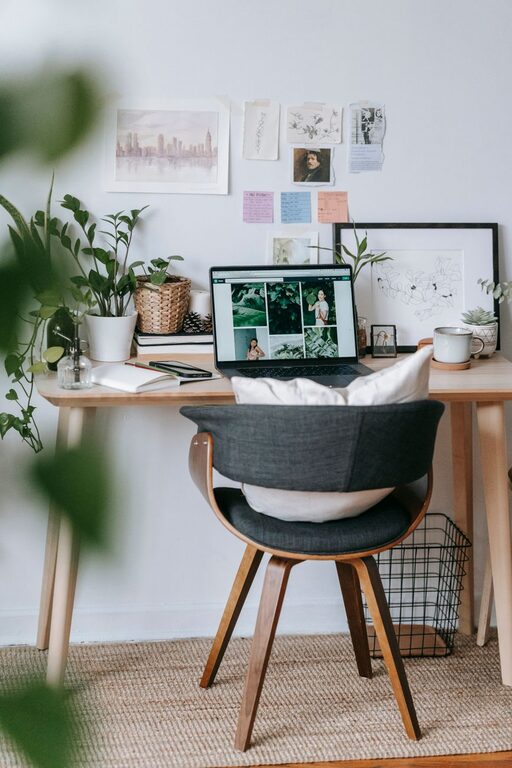
Creating a home office that is both cozy and productive can significantly improve your work-life balance, motivation, and overall well-being. Whether you work remotely full-time or need a dedicated space for occasional tasks, setting up an environment that feels welcoming and supports focus is essential. In this post, we will explore practical tips to help you design a home office that strikes the perfect balance between comfort and efficiency.
Choose the Right Location
Before you begin decorating or buying furniture, consider where in your home your office will be. Ideally, pick a quiet spot away from high-traffic areas to minimize distractions.
– Natural Light: Select a space with ample natural light if possible, as it can reduce eye strain and boost mood.
– Privacy: Choose an area where you can close the door or create a visual barrier to help separate work from home life.
– Accessibility: Make sure your office is easy to access but not so close to entertainment spaces that distractions sneak in.
Invest in Comfortable and Ergonomic Furniture
Your furniture should support your body’s comfort and health during long hours of work.
– Ergonomic Chair: Choose a chair that supports your lower back and encourages good posture. Adjustable height and lumbar support are key features.
– Desk Height: Ensure your desk height allows your arms to rest comfortably at about a 90-degree angle while typing.
– Standing Options: Consider a sit-stand desk or desk converter to vary your position throughout the day.
Organize with Purpose
Clutter can distract and impact productivity, so an organized space is crucial.
– Storage Solutions: Use shelves, drawers, and filing cabinets to keep documents and supplies neatly tucked away.
– Desk Organization: Keep frequently used items within arm’s reach and minimize clutter on the desktop.
– Cable Management: Use clips or cable organizers to keep cords tidy and prevent tangling.
Personalize Your Space
Adding personal touches can make your office feel inspiring and cozy, which helps maintain motivation.
– Decor: Add artwork, photos, or plants to create a pleasant atmosphere.
– Colors: Choose calming or uplifting colors for your walls or accessories based on your preference.
– Lighting: Incorporate warm task lighting such as a desk lamp to reduce eye strain and add coziness during darker hours.
Optimize Technology Setup
A smooth technology setup reduces frustration and helps you stay focused.
– Reliable Internet: Ensure your workspace has a strong and stable Wi-Fi connection.
– Proper Equipment: Invest in quality monitors, a keyboard, and mouse to improve comfort and efficiency.
– Headphones: Use noise-cancelling headphones if your environment has background noise.
Set Boundaries and Routine
Creating a separate work zone and routine helps maintain a healthy work-life balance.
– Defined Work Hours: Set clear start and end times to your workday to prevent burnout.
– Break Area: Avoid eating or relaxing in your office to keep the space work-focused.
– End-of-Day Ritual: Shut down your computer and tidy your desk to signal the end of the workday.
Incorporate Comfort Elements
Small additions can significantly increase the coziness and enjoyment of your workspace.
– Soft Textures: Add a cushioned rug or comfortable seat cushion.
– Temperature Control: Use fans, heaters, or windows to keep the temperature comfortable.
– Aromatherapy: Consider a subtle essential oil diffuser for a soothing environment.
Maintain Cleanliness
A clean workspace positively affects both productivity and mental clarity.
– Schedule regular cleaning times.
– Wipe down surfaces and equipment.
– Keep trash bins empty and recycle when possible.
—
By taking time to thoughtfully design your home office with these tips, you will create a space that supports productivity while remaining comfortable and inviting. A cozy and well-organized office encourages focus, reduces stress, and makes working from home an enjoyable experience. Start with small changes and customize your setup over time to fit your needs perfectly.